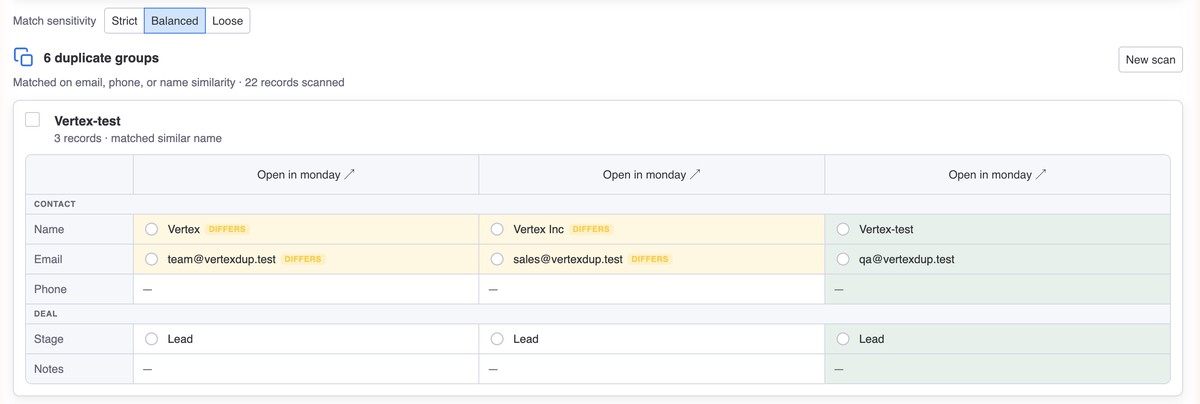
CRM Duplicates finds duplicate records in your monday.com CRM (the same person entered twice, a company saved under two names) and lets you merge them safely, with a full 7-day undo. It works only with the monday.com CRM product.
Requirements: CRM Duplicates works only with the monday.com CRM product (Leads, Contacts, Accounts, Deals). Merging changes board data, so it needs a member seat. Viewers and guests can scan and review, but not merge.
Install it from the monday.com marketplace. It then appears as a view on your CRM boards. No setup needed.
On a CRM board (say Contacts or Accounts), open the CRM Duplicates view from the board's view bar.
Click Scan for duplicates. The app groups likely duplicates and shows why each was matched: identical email, similar name, name + phone.
Open a group, compare records side by side, choose which to keep, and confirm. Nothing changes until you confirm.
CRM Duplicates catches duplicates that an exact text search misses:
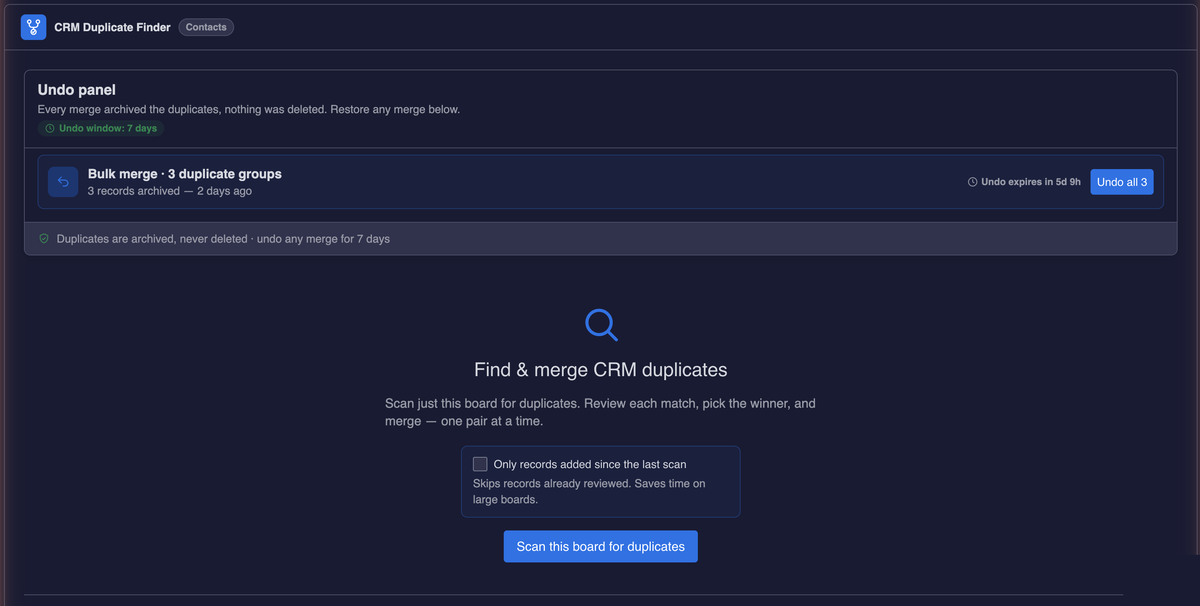
CRM Duplicates never deletes a record. On merge, your chosen values are written to the record you keep, and the others move into a "Merged duplicates" group on the same board: archived, not deleted. Everything stays on your board and can be reversed.
Every merge is logged. For 7 days afterward you can open the Undo panel and reverse it: the kept record returns to its previous values, and the archived records move back where they came from.
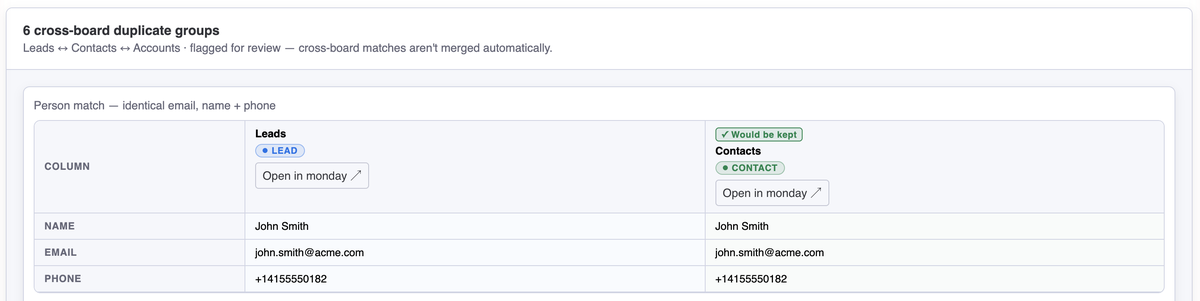
The same person or company often lives on more than one CRM board: a Lead that also became a Contact, or a company saved as two Accounts. The Find duplicates across your CRM view surfaces these cross-board matches so nothing slips through.
Because these records live on different boards, the app shows them side by side and links to each one. You open each record in monday.com to merge it there. Cross-board matching is detection only in this version.
CRM Duplicates supports all three monday.com themes (light, dark, and night) and matches your theme setting automatically.
On a viewer or guest seat you can still scan and review, but merging is disabled. To merge, ask your account admin to upgrade your role to member.
CRM Duplicates needs a subscription after the free trial. Manage your plan through monday.com's billing. When the trial ends, the app prompts you to choose a plan.
Does merging delete any records?
No. The records you don't keep are moved into a "Merged duplicates" group on the same board.
They are archived, never deleted, and can be restored.
What if I merge the wrong records?
For 7 days after a merge, undo it from the Undo panel. The kept record returns to its previous
values and the archived records move back to their original group.
Can it merge records on different boards?
Cross-board duplicates are detected and shown side by side, but you merge them by opening each
record in monday.com. In-app merging works within a single board.
Where is my data stored?
Inside your own monday.com account. CRM Duplicates has no external servers or database; it uses
only monday.com's built-in storage. See our Privacy Policy for details.
What happens if I uninstall?
Your boards are unaffected: records you've merged stay as they are. The app's small amount of
stored data (such as your merge history) lives in monday.com's storage. Contact us to have it
fully removed.
Need help? Contact support@nichcraft.com